
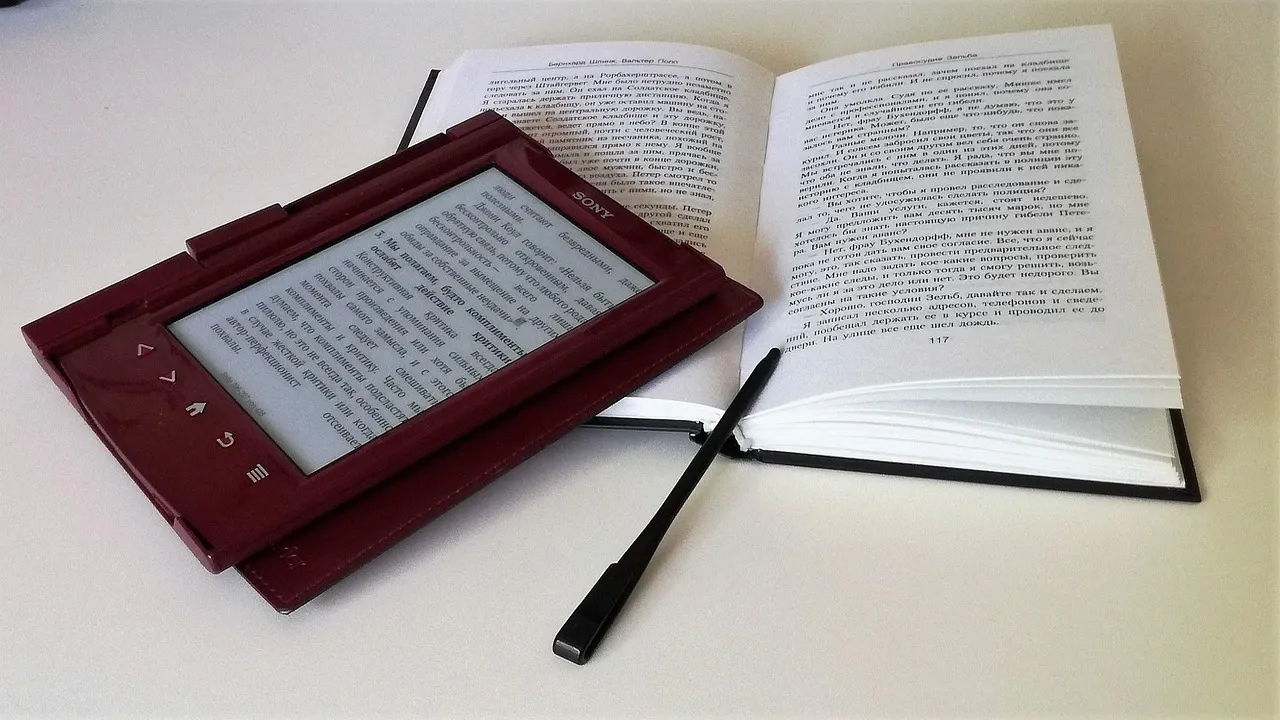

đź“– Why Seniors Should Embrace E-Books: Benefits and Reading Tips for Beginners
🧓 Reading Is Ageless — and E-Books Make It Easier Than Ever
For many seniors, reading has always been a source of comfort, learning, and joy. But as we get older, printed books can sometimes become a little harder to manage — small print, heavy covers, or poor lighting can take away from the experience.
That’s where e-books come in! Lightweight, adjustable, and easy to use, modern e-readers make it simple for older adults to enjoy reading again — anytime, anywhere.
Let’s explore why e-books are perfect for seniors, plus some helpful beginner tips to make the most out of your digital reading journey.
🌟 The Advantages of Reading E-Books for Seniors
1. Adjustable Font Size and Lighting
No more struggling with small text! E-books let you increase font size, change the font style, and adjust brightness or use “warm light” for nighttime reading — perfect for aging eyes and comfort.
2. Lightweight and Portable
E-readers like Kindle or Kobo weigh less than small paperbacks. Seniors can easily hold them for long reading sessions or carry hundreds of books without extra weight — ideal for travel or cozy reading at home.
3. Built-In Dictionary and Audiobook Options
Can’t remember a word? Just tap to see the meaning instantly. Many devices also include text-to-speech features, turning books into audiobooks for those who prefer listening.
4. Affordable and Space-Saving
E-books are often cheaper than printed versions, and you don’t need extra shelves! You can store thousands of books on one small device — perfect for those who want to downsize but keep their entire library.
5. Easy Access to New Reads
There is no need to visit the bookstore. With an internet connection, seniors can instantly download books from online stores, libraries, or free platforms like Project Gutenberg — which offers thousands of classics for free.
6. Environmentally Friendly
E-books help reduce paper use and carbon emissions. A single e-reader can replace hundreds of physical books — making it a green choice for eco-conscious readers.
đź’ˇ Tips for Seniors New to E-Books
🖥️ 1. Choose the Right Device
Look for e-readers with:
Large screen (6–7 inches or more)
Adjustable lighting and font options
Long battery life
Physical buttons (for easier page turning)
👉 Recommended for beginners: Amazon Kindle Paperwhite or Kobo Clara BW — both are senior-friendly and lightweight.
âś… What to Look for in an E-Reader for Seniors
These features can make a big difference in comfort, usability, and overall satisfaction:
Feature | Why It’s Important |
Large, high-contrast E-Ink screen | Easier to read; less eye strain; visible in bright sunlight. |
Adjustable font size, style, spacing | Helps those with weaker eyesight; can make reading more comfortable. |
“Warm light” / reduced blue light / night mode | Blue light can strain the eyes, especially at night. Warm-light or color temperature controls help. |
Physical pages turn buttons | Easier if someone has limited dexterity or trouble with touch gestures. |
Lightweight build / ergonomic design | Lighter devices are easier to hold for longer periods. Curved backs or grips help. |
Long battery life | Minimizes need for frequent charging. Senior users may find charging inconvenient. |
Good lighting (front light), glare-free screen | To read in low light or bright light without discomfort. |
Text-to-speech / audiobook support | Helpful for those who prefer listening or have difficulty reading. |
Support for many files formats / easy library borrowing | If the system is locked into one store, that limits options. Seniors may prefer more flexibility (EPUB, PDF, etc.). |
Durability / waterproofing | Useful if reading near water (bath, pool) or if device might get accidentally dropped. |
đź”§ 2. Adjust Settings for Comfort
Before reading:
Increase the font size
Turn on warm lighting or night mode
Set the screen brightness to a soft level
Use bold fonts for better contrast
These small changes make a big difference for eye comfort.
🎧 3. Try Audiobooks or Text-to-Speech
On days when your eyes feel tired, switch to listening mode! Many e-readers and apps (like Kindle or Libby) can read the text aloud — so you can still enjoy your favorite story hands-free.
🏷️ 4. Explore Free and Affordable Book Sources
Some great places to start:
Amazon Kindle Store (often has free books)
Project Gutenberg (classic literature)
Google Play Books or Apple Books
Local library apps that offer digital borrowing
🌟 Specific Product Recommendations
Here are some e-readers that line up well with what seniors tend to need. These include options that are more senior-friendly. Prices are approximate and depend on promotions/imports.
Latest Amazon Kindle (2024) 6inch
A solid mainstream choice. Lightweight, easy interface, reliable. Good if you want something simple and well supported. The screen is smaller though (so you may need to use a larger font)
Kobo Clara BW (Black & White)
Probably one of the better fits: very good contrast, dedicated lighting, supports EPUB and other open formats. Kobo devices are often preferred for flexibility.
E-book M6 6inch Android Reader
More “techy” (Android base etc.), might give more features but also more complexity. If the senior is okay with some learning, this allows for more customization.
Bigme B6 Color 7inch Color EReader
Has color screen, which is nice for pictures, magazines, comics but color E-Ink sometimes has lower contrast/resolution than black/white. Also, might cost more / use more battery. Use if color matters rather than strict readability.
💡 My Advice / What I’d Recommend
If I were picking one for a senior (especially someone with some vision reduction, and wanting comfort & simplicity), I’d lean toward:
Kobo Clara BW (or a "BW" model) for contrast + simplicity.
Or Kindle Paperwhite (if available and prices/import work) with warm lighting + waterproofing.
Plus, get a good case or holder so they don’t have to grip the device tightly. Something with a stand, or that can rest on a table.
Set it up with large fonts, maybe bold fonts, and show how to adjust lighting / font size — once set up, ease of use will be much higher.
📚 5. Join Online Book Clubs for Seniors
Reading is more fun when shared! Many communities and Facebook groups host online book clubs for seniors — a wonderful way to discuss stories and make new friends with the same passion for reading.
⚠️ Things to Avoid or Be Careful With
Very small screens (tiny fonts require too much zooming).
Devices with only harsh/blue light or no warm mode.
Heavy devices without good grips or stands.
Interfaces that are too complicated (too many menus, features not needed).
Non-reliable sources for buying — warranties and service are important.
❤️ Final Thoughts: Reading for the Joy of It
E-books bring reading back within easy reach for seniors — removing physical barriers while adding comfort, flexibility, and choice. Whether you’re rediscovering old favorites or exploring new genres, digital reading can open endless worlds at the tap of a finger.
So, grab your e-reader, adjust your settings, and let your next great story begin! 🌼
By Admin 1 minute read
Explore safe, empowering solo travel tips for seniors. Learn...
Read MoreBy Admin 1 minute read

Discover senior-friendly wellness travel ideas, peaceful des...
Read MoreBy Admin 1 minute read

Learn how seniors can build a joyful and comfortable lifesty...
Read MoreBy Admin 1 minute read

A beginner-friendly guide to digital literacy for seniors. L...
Read MoreBy Admin 1 minute read

Learn how seniors can stay safe online with easy internet se...
Read MoreBy Admin 1 minute read
Discover how lifelong learning helps seniors stay mentally s...
Read MoreBy Admin 1 minute read

Explore the benefits of technology for seniors, including he...
Read MoreBy Admin 1 minute read
A complete guide to senior rights, including legal protectio...
Read More